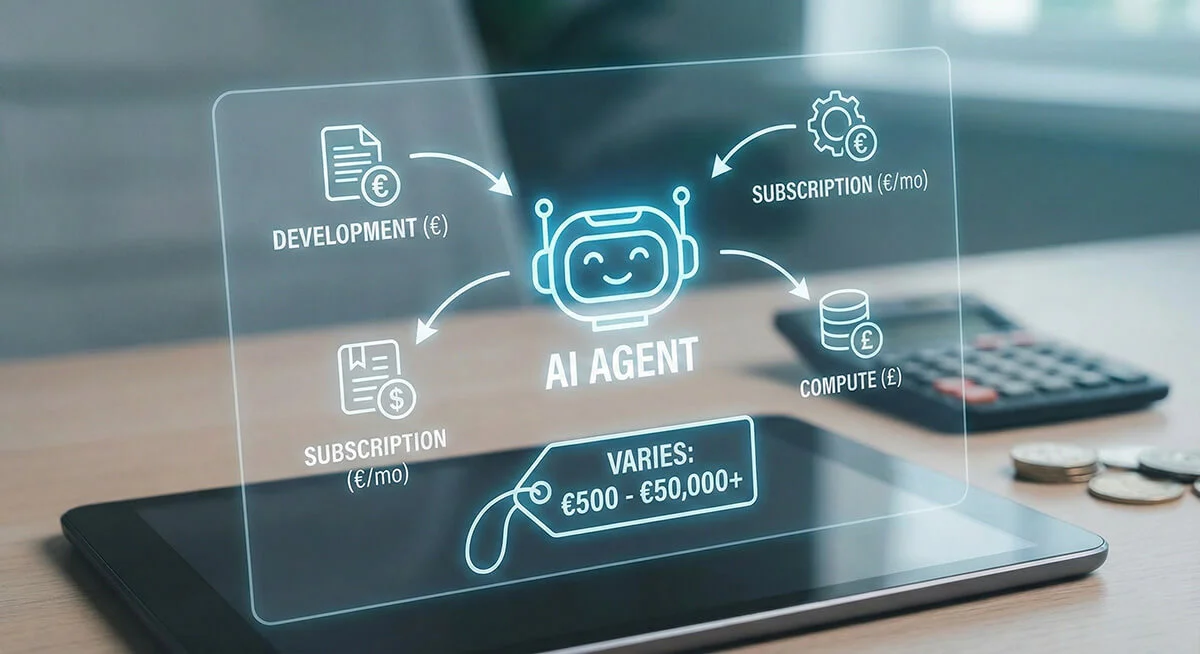
"What does an AI agent cost?" is the question we get most often. And honestly: the answer is "it depends." But that is not satisfying, so in this article we give you concrete price indications and a framework for understanding costs.
TL;DR: AI agent price ranges
| Type of agent | Investment | Monthly costs | Typical ROI |
|---|---|---|---|
| Basic | €5,000 to €15,000 | €500 to €1,000 | 2 to 4 months |
| Standard | €15,000 to €35,000 | €1,000 to €2,000 | 4 to 8 months |
| Advanced | €35,000 to €75,000 | €2,000 to €3,500 | 6 to 12 months |
| Enterprise | €75,000 to €150,000+ | €3,500 to €10,000+ | 8 to 18 months |
Prices are indicative and depend on complexity, integrations and volume.
What decides the cost of an AI agent?
1. Complexity of the task
An agent that sorts emails is fundamentally simpler than an agent that automates complete sales cycles.
Simple (€5,000 to €15,000):
- A single task (for example answering FAQs)
- Limited decision logic
- No external integrations
Complex (€35,000 and up):
- Multi-step workflows
- Complex decision trees
- Multiple scenarios and edge cases
2. Number and type of integrations
Every integration takes time to build and to maintain.
| Integration type | Typical costs |
|---|---|
| Standard API (HubSpot, Salesforce) | €2,000 to €5,000 |
| Legacy system | €5,000 to €15,000 |
| Custom database | €3,000 to €8,000 |
| Document processing | €5,000 to €10,000 |
3. Volume and scalability
An agent that handles 100 requests a day needs different infrastructure from one that handles 10,000.
Low volume (under 500 a day): standard hosting, limited costs High volume (over 5,000 a day): enterprise infrastructure, higher costs
4. AI model costs
The underlying AI models (GPT-4, Claude and others) cost money per request.
| Model | Cost per 1M tokens | Typical use |
|---|---|---|
| GPT-4 Turbo | around €10 | Complex reasoning |
| GPT-3.5 | around €0.50 | Simple tasks |
| Claude 3 Opus | around €15 | Long documents |
| Claude 3 Haiku | around €0.25 | Fast responses |
Tip: a smart agent uses cheap models for simple tasks and expensive models only where they are needed.
5. Training and customisation
An agent that speaks your language, knows your products and follows your processes needs training.
Basic training (included): general instructions and examples Custom training (plus €5,000 to €15,000): finetuning on your data Knowledge base integration (plus €3,000 to €10,000): documents, FAQs, product information
Cost example: lead nurturing agent
Let us work through a concrete example:
Scope
- Follow up leads automatically by email
- Send personalised content
- Lead scoring and escalation to sales
- Integration with HubSpot CRM
Cost breakdown
| Component | Cost |
|---|---|
| Discovery and design | €3,000 |
| Agent development | €12,000 |
| HubSpot integration | €4,000 |
| Email template system | €3,000 |
| Testing and optimisation | €3,000 |
| Total development | €25,000 |
| Monthly | Cost |
|---|---|
| Hosting and infrastructure | €200 |
| AI API costs (around 5,000 emails a month) | €300 |
| Maintenance and updates | €500 |
| Total per month | €1,000 |
ROI calculation
Saving:
- 20 hours a week less manual follow-up
- × €50 an hour (sales employee)
- = €4,000 a month saved
Extra revenue:
- 40% more qualified leads
- × €5,000 average deal value
- × 2 extra deals a month
- = €10,000 a month extra
ROI:
- Monthly benefit: €14,000
- Monthly costs: €1,000
- Payback period: under 2 months
ROI framework: calculate your own business case
Step 1: quantify the current situation
- How many hours a week go into this task?
- What is the hourly rate of the people doing it?
- What is the current conversion or quality level?
- How many errors are being made?
Step 2: estimate the improvement
Conservative estimates for AI agents:
- Time saving: 40% to 70% of manual hours
- Conversion improvement: 20% to 50% for lead nurturing
- Error reduction: 80% to 95% for data processing
- Availability: 24/7 versus office hours
Step 3: calculate the business case
Formula:
Monthly benefit = (hours saved × hourly rate) + (extra conversions × deal value) + cost reduction from fewer errors
Payback period = initial investment ÷ (monthly benefit minus monthly costs)
Step 4: add strategic value
Not everything can be quantified:
- Scalability: growing without proportionally more staff
- Consistency: always the same quality
- Data insight: learning from every interaction
- Employee satisfaction: less dull work
Common mistakes in AI agent investments
Mistake 1: selecting on price alone
The cheapest option is rarely the best. A €5,000 agent that does not work costs more than a €25,000 agent that delivers results.
Mistake 2: starting too big
Start with an MVP, prove the value, then expand. Better a €10,000 success than a €50,000 failure.
Mistake 3: forgetting the monthly costs
API costs can add up. Always ask for estimated monthly costs at different volumes.
Mistake 4: not measuring ROI
Without a baseline you do not know whether the agent works. Measure before and after implementation.
Our approach at Green Creatives
Phase 1: assessment (€0, free)
AI Readiness Scan to understand your situation.
Phase 2: discovery (€2,500 to €5,000)
In-depth analysis, process mapping, and a concrete business case.
Phase 3: MVP (€10,000 to €25,000)
A working agent for one core use case, including training and testing.
Phase 4: scale (variable)
Expanding with more integrations, use cases and volume based on proven ROI.
Next steps
Ready to find out what an AI agent could mean for your business?
- Take the free AI Readiness Scan
- Receive a personalised estimate
- Book a no-obligation call
Or read on: